
7. Recognize legacy sprite frames
This lesson preserves an older 0.5 authoring example using SpriteBinding.animation. Current VN readers do not project, fetch or play these legacy frames. The downloaded pack still validates, but its sprite stays static. For new motion, use creator-authored APNG clips in SpriteBinding.performance; see the current 0.5 reference. The walkthrough below explains the historical binding and its stored assets, not how to enable motion in today’s reader.
Protocol 0.5 has more than one schema revision. Each ZIP records its exact schema and SHA-256; a matching version string alone does not establish feature support.
Start from the existing neutral sprite
Section titled “Start from the existing neutral sprite”Use the supplied rowan-blink.png and rowan-talk.png, or create cleared replacements from your neutral portrait. Keep canvas size, body position, silhouette and transparency aligned. Change the eyelids for blink and the mouth for talk. Moving the whole character between frames creates visible jumping.
Add both files as normal image assets with their actual hashes and sizes, and include them in the local media manifest. Then set the animation property on Rowan’s neutral sprite binding (presentation.bindings[1].animation in this example) to this object:
{ "protocol": "storyorbit.sprite-frames/1", "blink": ["rowan_blink"], "talk": ["rowan_talk"]}These arrays contain asset IDs, not paths, durations, audio or video. Each array holds at most 4 frames; at least one frame across the two arrays is required by host semantics. Animation belongs to this particular binding/expression; it does not automatically apply to the smile binding.
Inspect the historical expression binding
Section titled “Inspect the historical expression binding”The historical example changes the opening dialogue’s performance expression from smile to neutral, because the frame binding belongs to neutral. Keep the smile binding for other uses. Its revision increases to 8; the paragraph text has not changed, so its digest remains valid. This does not enable legacy frame playback in current readers.
Run the structure check. The host additionally verifies real image dimensions and transparency: sprites need at least 128 pixels on each side, matching frame dimensions, at least 5% near-transparent and 1% near-opaque pixels, and a total decoded animation budget no greater than 16,777,216 pixels. The base image plus blink and talk frames count toward that budget. Our 256×256 three-image animation is well below it.
Expected in a current reader: the neutral poster remains visible and these legacy frames do not animate. The site tests preserve checks of stored bytes, dimensions, alpha alignment and selected expression; they do not claim a live reader trial or current frame playback. A successful schema check cannot turn this historical field into supported animation.
The original teaching artwork
Static previews of the actual downloaded images. The sprite frames are shown separately for comparison; this is not a live player.
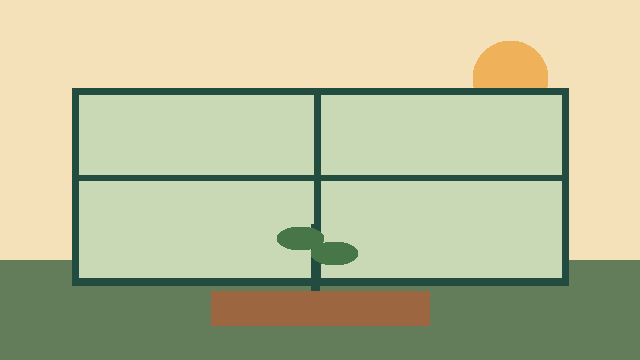
greenhouse_art
rowan_neutral
seedling_reward
rowan_smile
rowan_blink
rowan_talkCheck your work locally
From the extracted bundle folder, create the environment and install the pinned dependencies once. Then check both files, and repeat the start check after your edits. The same commands work for every lesson.
macOS / Linux
python3 -m venv .venv
.venv/bin/python -m pip install -r requirements.txt
.venv/bin/python check.py start/pack.json
.venv/bin/python check.py finished/pack.json
Windows PowerShell
py -3 -m venv .venv
.venv\Scripts\python.exe -m pip install -r requirements.txt
.venv\Scripts\python.exe check.py start/pack.json
.venv\Scripts\python.exe check.py finished/pack.json
Expected for the finished pack: Structural check passed: Creator Pack 0.5 followed by the exact Schema SHA-256. This is a structural check, not host admission or a live playtest.
Working excerpt from the finished pack
This excerpt is generated from the tested download. It is not a complete pack; edit the named fields inside start/pack.json or compare finished/pack.json.
{
  "animated_binding": {
    "role": "sprite",
    "subject": {
      "kind": "reader_card",
      "id": "rowan"
    },
    "asset_id": "rowan_neutral",
    "expression": "neutral",
    "animation": {
      "protocol": "storyorbit.sprite-frames/1",
      "blink": [
        "rowan_blink"
      ],
      "talk": [
        "rowan_talk"
      ]
    }
  },
  "performance": {
    "focus": true,
    "expression": "neutral"
  }
}
Look up the fields: presentation